
How a booking goes
We set up your shop
Your units, each with its type and its meter (engine hours, miles or none), your rates, your season and opening hours, taxes and delivery zones. Payments go to your shop's own Stripe account, which you set up inside Fleetday.
Renters book online
On your own booking page, or from a Book now button on the website you already have, which opens booking over your page. Renters see the all-in price, add-ons and any deposit before they pay.
Staff book phone calls and walk-ups
On the same calendar, so a unit is never booked twice. A phone booking gets the same confirmation and reminders as an online one.
Confirmations and reminders go out
By email and text, with a link to the waiver you already use. At check-out, staff tick that it's signed. Waivers signed in Fleetday, with each booking, are coming soon.
Check-out at the counter
From a phone: take the renter's ID and photos of the unit, note the meter reading and hand over the keys.
Check-in when it comes back
Type the meter reading and take photos. Fleetday keeps each unit's hours or miles.
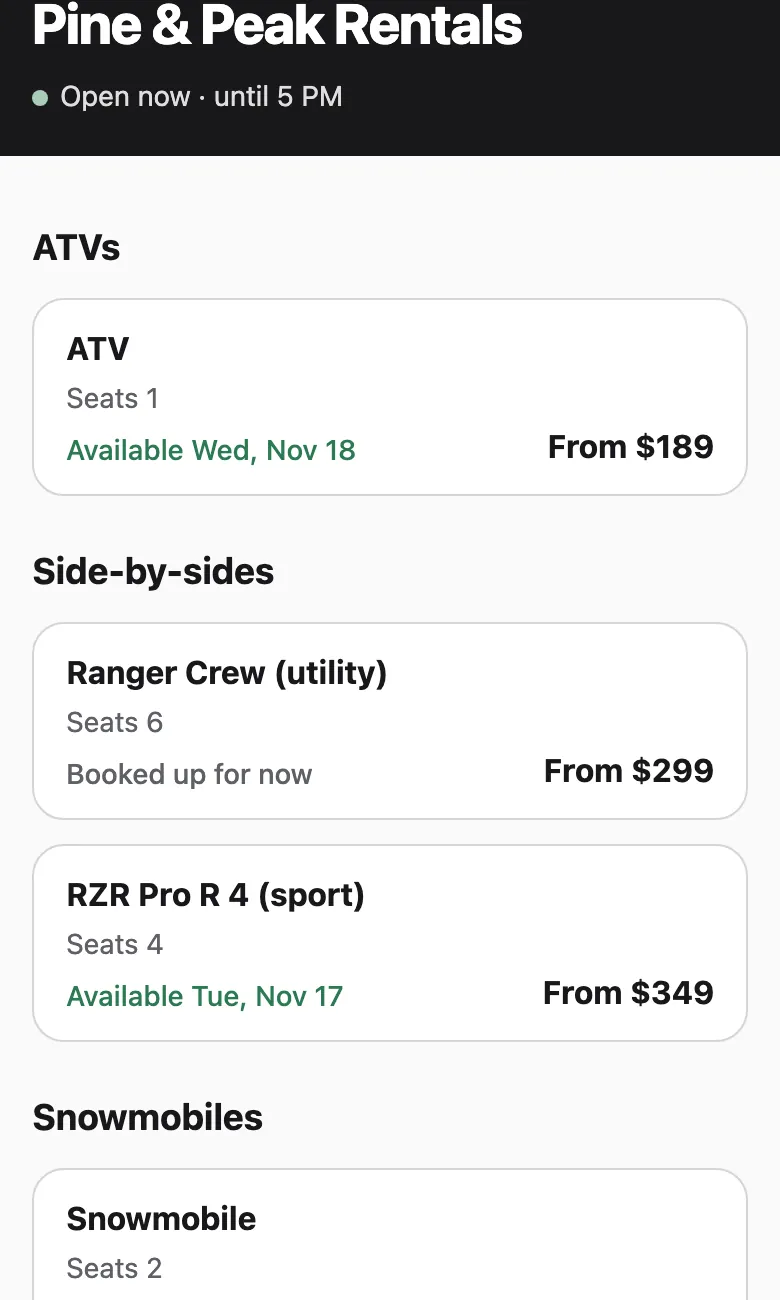
Renters book the unit, not just the day
Each kind of unit shows its next free day and its price. Rates can be hourly, half-day, daily or multi-day, with season and weekend prices, and promo codes.
The booking fee is labelled plainly, and the renter sees the all-in price before paying.
Your day at a glance
 Home on a phone
What's going out, what's coming back and what's left to pay, and any booking that needs a decision.
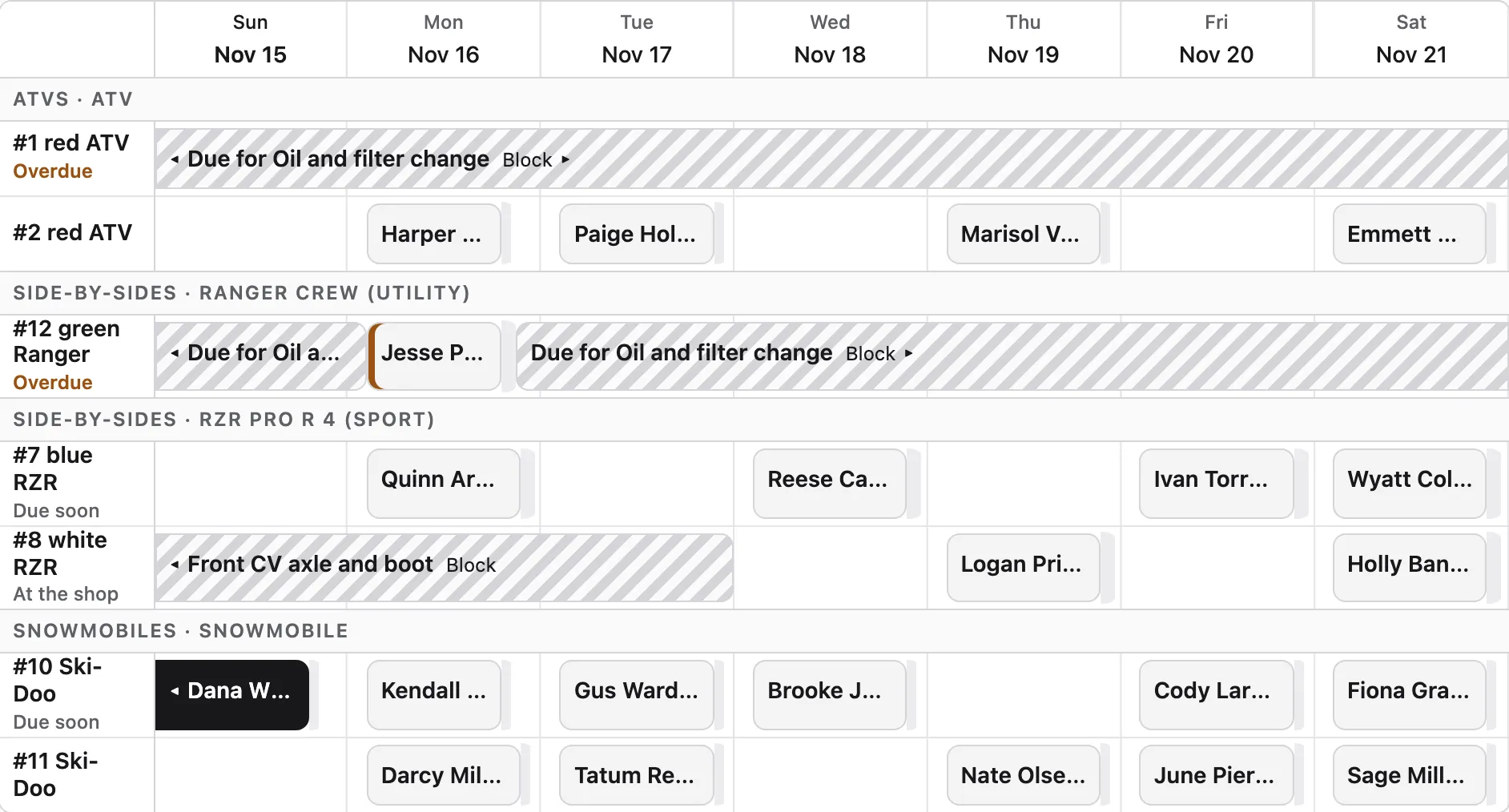
Day, week and 14 days
Every unit's bookings on a timeline. Move a booking to another unit with a tap.
Owner, staff and mechanic
Each person signs in to what they need: staff to the counter, the mechanic to the units.
Bookings and money
Lists of bookings and payments, refunds and notes, so the end of the day adds up.
Moving over from FareHarbor
If you're looking for a FareHarbor alternative: for founding shops, we move your future bookings over from FareHarbor before you go live, so renters who have already booked keep their bookings.
Then swap the Book now links on your website for Fleetday's. Your website stays yours.